I had all the skills broken down into bite-size pieces and structure laid out in a sensible way, but the agent would often improvise. When I pressed the agent why they weren’t following the skills, I would usually hear something like:
“The skills are clearly written, I just didn’t follow them well. I skimmed them, and then improvised. I should have done x, y, z. Should I redo it?”
The solution wasn’t to write clearer skills. It was to codify correctness so it was enforceable.
Backend Gates FTW
The failures were happening because there was no way for me to force the agent to follow the skills or redirect the agent if it made a misstep during the procedure. Backend gates help address this by doing things like:
Only give the agent the initial step. It can’t complete its full task without a backend request for the next step.
Don’t allow writing to the database without an access token.
Disallow writes that don’t have required data.
In combination, these form powerful gaurdrails to keep your agent on track.
Applying Backend Gates for Grocery Shopping
For my case, I wanted the grocery shopping procedure to be split into concrete tasks on smaller single-responsibility agents that can operate in parallel:
Item Resolution Agent
Receives the data for what stores to shop at, and what item needs to be searched for. Then it can:
Use the store’s API to search for the item
Collect the results
Hand them to the parent orchestrator
The agent would discard relevant results, not search thoroughly when it received lackluster results, or not write images.
Backend Gate
To address this, I now require it to write its results to the database in a transient database row (another default WordPress feature that majorly helps with AI infrastructure) with the list id, item id and shop cycle id. Now, when it writes its results, if it doesn’t satisfy the backend’s requirements, then it receives instructions on how to improve its results.
Writing the Selection
When the orchestrator writes the final selection, it was often discarding results or only writing the final selection instead of offering alternates. Or, capping alternates to 3 when there were really 10 valid alternates.
Backend Gate
To improve results, I added these backend gates:
Must include alternates array or pass a flag and reason there are no alternates
Must include images or a flag and reason why there are no images
Must include at least 3 items per store or flag and reason there are fewer than 3 per store
With how significant the improvements are, I highly recommend using server-side gates to improve agents’ reliability.
Over the past month, I’ve been building a WordPress site as a data-brain layer connected to Claude in a NanoClaw container. My goal is a plugin with a group of skills and endpoints that can:
meal plan,
build a grocery list
shop the list from multiple stores
add items to store cart(s)
Since starting the project, I’ve dramatically evolved my thoughts on the future of the UX of AI interfaces its practical applications to everyday life.
Why not Chat-only?
Chat is great for general information, but reviewing, updating, and finalizing a plan in chat is tedious and error prone. I started the plugin with a chat-powered approach but found myself in a mundane loop of things like:
“Remove red peppers. I already have Paper towels. I only need 1 pack of beef.”
Then re-review all its text output… again…
I knew I had to find a better way. How could I review the output more easily, provide quick edits to the output, and provide context to the agent quickly?
I started out thinking I was building a meal-planning and grocery-shopping tool. Now, I think I’m building an example of how agentic software should work: structured context, constrained abilities, and easy-to review and edit outputs
The result: an interface where the agent and I can build a list together. The agent gets you close, and the interface lets you quickly make adjustments.
A collaborative shopping list for you and the Agent
Plugin Overview
A meal-planning and weekly grocery list solution to make your life easier.
It uses WordPress as a context layer to provide an agent with all the data and abilities it needs to:
choose meals you’ll like
decide on grocery items you’ll need
shop from your preferred stores
1. Meal Planning
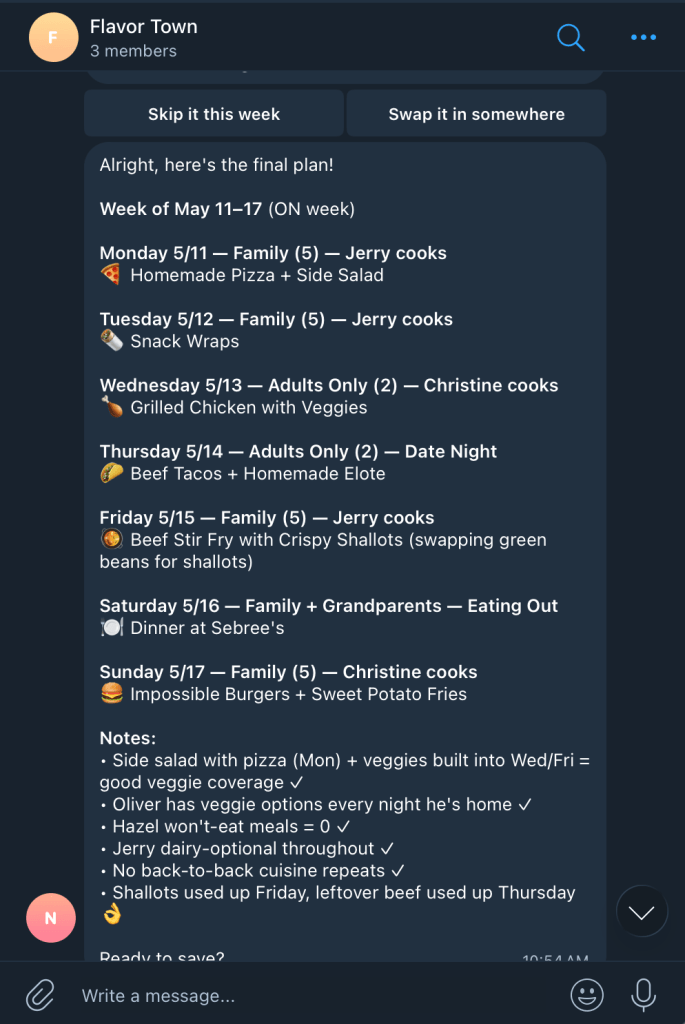
Start by asking the agent for a meal plan. I have my WordPress site managed in a NanoClaw container by Claude, and I interact with it via Telegram.
I ask it to build me a meal plan for the week, and the agent accesses my site to see what my family’s preferences are, what our schedule is, etc. Information is saved in WordPress post content and metadata.
It has examples from previous weeks, and a list of recipes we like (also WordPress posts, but it could be connected to any Recipe API).
List Building
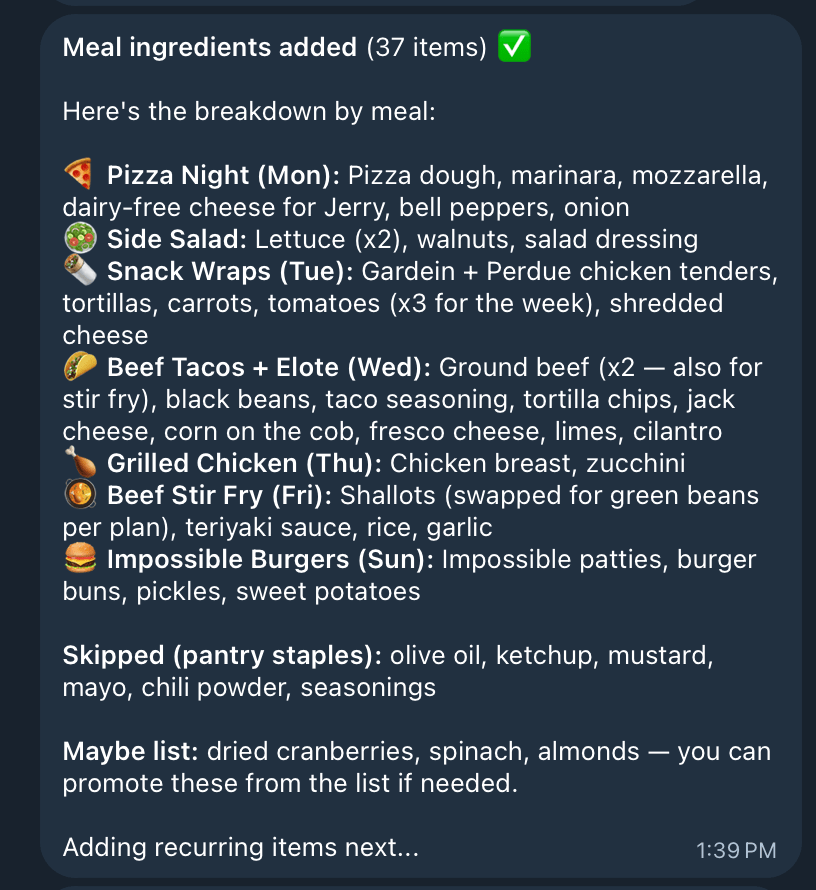
After the Meal Plan is set, it generates a grocery list off of the meals as well as checks my past orders for recurring items and household items.
This list gets saved as a WordPress post that polls for updates so the Agent and I can collaboratively build the grocery list.
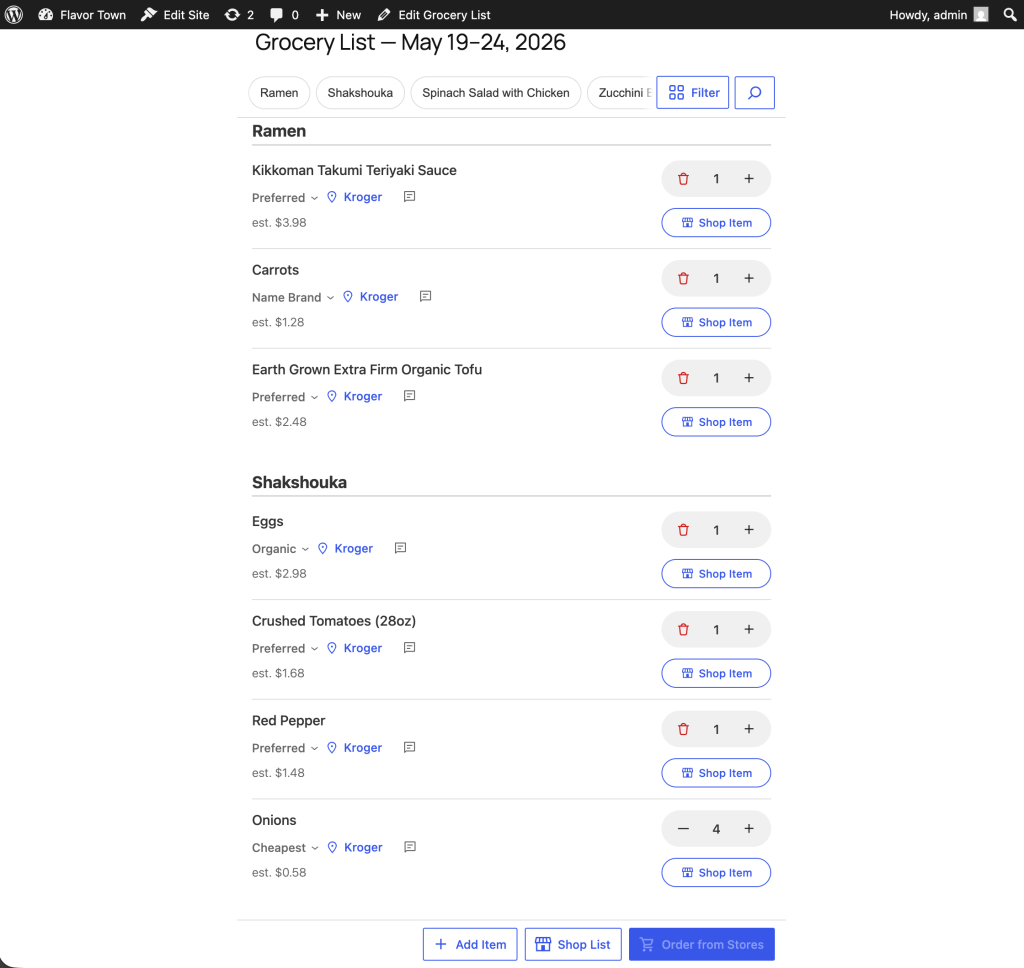
The UX layer has been really interesting. I’ve found I needed a quick way to fix AI’s mistakes and provide context. The AI gets me a rough draft, and I can quickly edit it for final approval.
The initial list created by the agent, ready for me to edit
You can:
edit item quantities
add items
delete items
choose which store(s) you want to shop at
add notes to an item for more context (“Buy organic if less than $1 more expensive than the cheapest option”)
filter the list by meal, aisle, store, or unshopped items
This UX layer is where I see the human layer of AI evolving very quickly in the coming years. There are not established patterns on how to interact with AI in the most useful way. Building this plugin is rapidly evolving my thoughts on the UX of AI beyond chat interfaces.
Grocery Shopping
After you have your list where you want it, you can have your agent shop the list for you, streaming its updates along the way.
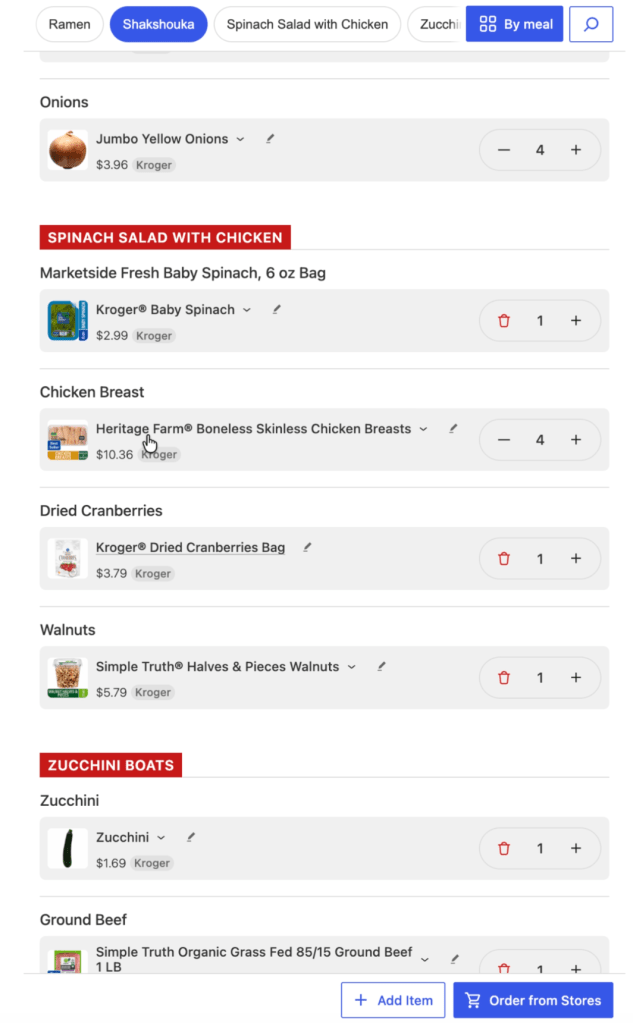
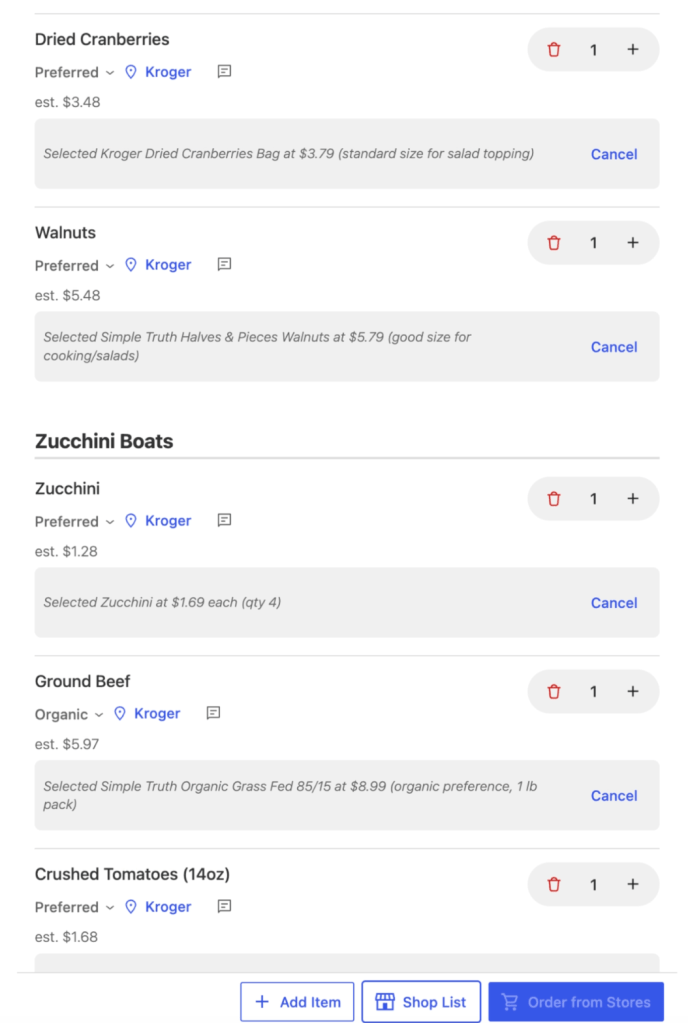
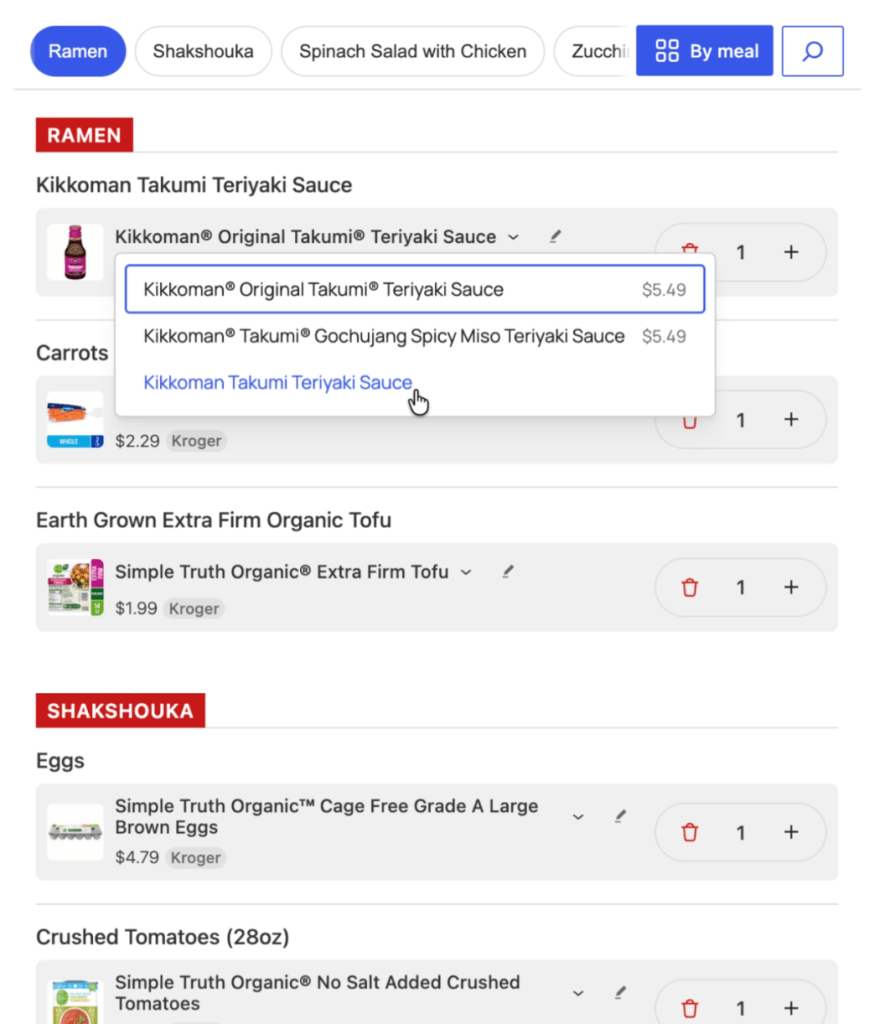
Once it has shopped your list, it returns the item titles, prices, images, and a quick-change dropdown to select an alternate related item.
Selecting an alternate item for Teriyaki.
The UX is all about quick fixes and edits to the agent. We know the agent isn’t right 100% of the time. It’s close, but not perfect. So, we let it get close, and provide a quick way to make it 100% right.
When you’re done, you can send the items to the stores you’ve selected.
How is the plugin useful?
It hits the perfect duo for usefulness:
Saves time
Saves money
Every week I do a meal plan and start from a blank slate. It doesn’t need to be that way. Now that my WordPress site has all my preferences, the agent can access that context and can get me a very solid start. It has taken an annoying task and gotten me to a finished meal plan in less time and with less annoyance. That’s win.
Same with building a shopping list. It knows all the items for a recipe. It can evaluate what I likely need and give me a chance to easily edit. Another win.
The really powerful thing is being able to shop multiple stores and build the best grocery store list for you. Imagine if you could ask the agent:
“Pick the store that has all the items for the cheapest total cost”
“Build me a grocery list with the cheapest items from each store”
“Prefer organic ingredients if they’re within 20% of the cost of the cheapest item”
It’s like having a personal grocery shopping assistant that knows you and your preferences, and gives you a quick way to review and fine tune the decisions.
Why WordPress?
WordPress provides a great foundation for building personal OS agents. The biggest issues with a system like OpenClaw is:
Security (whole computer access)
Difficult, technical setup
WordPress solves this with:
Secure container for your data
Easy server install
Plugin System for expanding agent skills
Agent Abilities API (in 7.0)
Consistent data structure
Custom API endpoints
Login/privacy layer
Plenty more 🙂
Building the Plugin on WordPress meant I got so many things “for free” and didn’t have to reinvent the wheel. It can be a containerized secure, online endpoint for me and an agent to work together on. It’s a perfect use case.
What’s Next
I’m still finalizing how this can get released. It may end up as a public WordPress plugin, or get run on WordPress.com’s agent abilities. We’re not sure yet. Follow along to find out 🙂